
Publishing News
How to Format a Manuscript for Book Design (Without the Headaches)
LaunchPad Books Editorial ·
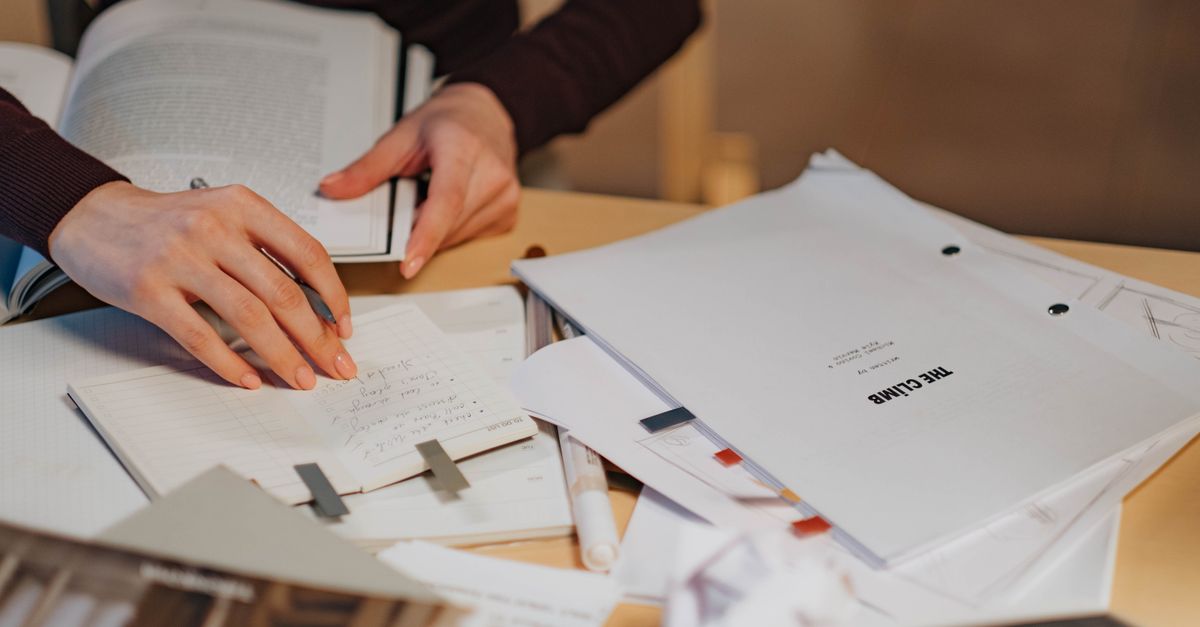
If you want to format a manuscript for book design, the single best thing you can do is stop designing it. Hand your book designer a clean Word document that marks structure—what each line is—and leave the visual choices to them. Almost everything you do to pretty up the pages gets stripped out the moment your file lands in professional layout software, and some of it actively costs you money to undo.
That sounds blunt, so here is the reasoning, plus exactly what to deliver instead.
Your decorative formatting gets deleted anyway
Picture the journey your file takes. You finish a 90,000-word manuscript, then you set chapter openers in a flourishy font, add drop caps, center your epigraphs, drop in a few gray sidebar boxes, switch header sizes and colors to signal hierarchy, and add page numbers. It looks like a real book on your screen.
Then it goes to a designer, who imports it into a program like Adobe InDesign and rebuilds the entire look from scratch—typeface, leading, margins, running heads, chapter openers, the works. Your fonts, colors, boxes, and spacing do not survive the trip. They are noise the designer has to clear before the real work starts.
So the effort you spent art-directing the manuscript produces nothing. In the worst cases it produces a bill, because cleaning a heavily formatted file is tedious billable time. An over-designed manuscript is one of the quiet ways authors inflate their own production costs without realizing it.
The manuscript is not where you express your aesthetic. It is where you tell the designer what each piece of text is—chapter title, body paragraph, block quote, caption—so they can give every one of those a consistent, intentional look.
Structure beats appearance: use Word styles
Here is the distinction that separates a clean manuscript from a messy one. Format is not design. Format tells the designer the structure of your text. Design is what that structure looks like on the finished page—and that is the designer's job.
Word already has a tool built for this: paragraph styles. Instead of selecting a chapter title and making it 24-point bold centered, you apply the Heading 1 style to it. Instead of eyeballing your body paragraphs, you leave them as Normal or Body Text. Block quotes get the Quote style. Subheads get Heading 2 and Heading 3 by level.
Why this matters: a style is a label. When the designer sees that every chapter title carries Heading 1, they can map that single style to a finished chapter-opener design in one move, and all 30 chapters update at once. If you instead formatted each title by hand, the designer has to find and reinterpret each one, guessing whether a bold centered line is a chapter title, a part divider, or just a line you liked bold. Consistency is the most valuable feature of a clean file—whatever you do, do it the same way every time.
What to do versus what to skip
| Element | Do this | Skip this |
|---|---|---|
| Chapter titles | Apply Heading 1 style | Custom fonts, drop caps, manual sizing |
| Body text | Leave as Normal, one space after periods | Decorative fonts, color, double spaces |
| New chapters | Insert one page break | Pressing Enter many times to push text down |
| Em dashes | Use a clean em dash, no spaces around it | Adding a space on each side because it looks nicer |
| Block quotes and epigraphs | Apply the Quote style | Manual centering and indenting |
| Page numbers and running heads | Leave them out entirely | Adding your own headers and footers |
| Editorial notes | Accept changes, delete all comments | Leaving tracked changes or margin queries in |
Two items on that list trip up almost everyone. First, those rows of pressed Enter keys used to force a new chapter onto a fresh page—they shift unpredictably once type reflows in a new page size, so use a single page break instead. Second, leftover tracked changes and comments: the final manuscript should be clean, with all edits accepted and every margin note removed. Your designer is not there to settle open questions between you and your editor; that conversation should be finished before the file moves to layout.
Some decisions belong to the designer—and to you, together
A few choices are made before design begins, in conversation between you and your designer, because they shape everything else. The biggest is trim size: the finished dimensions of the printed page, like 6 x 9 inches or 5.5 x 8.5 inches. That choice depends on your genre, comparable titles, reader expectations, and your book's length.
Length and trim size interact in ways that are easy to miss. Specify a large page for a short book and the spine may end up too narrow to print text on cleanly. A designer might widen the margins to give a slim book more physical heft, or tighten them to keep a long one from ballooning. These are craft decisions, and they connect directly to your print-on-demand setup and your format mix—paperback, hardcover, ebook, and audiobook each carry their own constraints.
The smartest question you can ask before sending files is simple: What can I do to make your work more efficient and accurate, so you can focus on design instead of cleanup? Designers have format preferences, and a two-minute exchange up front prevents hours of rework later.
How to handle images the right way
Do not paste pictures into the Word file at full size. Instead, place a bracketed callout exactly where the image should appear, naming the file and giving the caption and any alt text:
- In the manuscript: [photo 35.jpg: My sister, on the left, and I hiked the Grand Canyon in 2016.]
- In a separate folder: the real high-resolution file named photo 35.jpg, matching the callout exactly.
Print-quality images are large—often too large to email—so deliver them through Dropbox, Google Drive, or a similar transfer service, numbered to line up with every in-text reference. This keeps the manuscript light and gives the designer full-resolution art to place precisely.
A pre-delivery checklist
Before you send anything, run through this:
- Accept all tracked changes and delete every comment.
- Apply heading styles to all chapter titles and subheads, consistently.
- Replace strings of blank lines and manual spacing with single page breaks.
- Use Find and Replace to clear double spaces between sentences.
- Remove any page numbers, headers, or footers you added.
- Strip out custom fonts, colors, and text boxes.
- Confirm image callouts match the file names in your image folder.
- Ask your designer for any file preferences specific to their workflow.
Get those right and your Word document flows into the designer's software almost frictionlessly, which means fewer errors, a faster turnaround, and a lower invoice. The energy you would have spent decorating the manuscript is far better spent on the writing itself—and on the parts of self-publishing that actually move books, like a strong cover and a real marketing plan.
That division of labor is the whole point of working with professionals: you write the book and own every decision about it, and a skilled team turns clean files into a polished, bookstore-ready edition. At LaunchPad Books, our designers and editors help authors publish, print, and promote their work while keeping every right and every royalty—so the craft on the page becomes a book you are proud to sell. If you are ready to move from manuscript to finished book, start with a free consultation and we will tell you exactly how to prep your files for a smooth, affordable production.
Source: Jane Friedman
Ready to publish your book?
Talk to a real publishing advisor — free, no pressure.
Frequently asked questions
Should I format my manuscript to look like a finished book?
No. Decorative formatting—fancy fonts, drop caps, colored headers, gray boxes, page numbers—gets stripped out when your designer imports the file into layout software. Worse, it can create cleanup work that slows the project and raises your cost. Mark structure with Word styles and let the designer handle appearance.
What Word styles should I use in my manuscript?
Use built-in styles to label each element by its role: Heading 1 for chapter titles, Heading 2 and Heading 3 for subheadings, Normal or Body Text for paragraphs, and the Quote style for block quotes. Apply them consistently throughout so the designer can map each style to a finished design with one action instead of fixing paragraphs one by one.
How do I include images in a manuscript for the designer?
Do not paste images into the Word file at final size. Insert a bracketed callout where the image belongs, such as [photo 35.jpg: caption text here], and deliver the actual high-resolution files separately in a folder, named to match each callout. Print images are large, so send them via Dropbox, Google Drive, or another transfer tool.
Why does an over-formatted manuscript cost more?
Designers often charge extra to undo manual formatting—removing double spaces, deleting blank lines used to push text down, and clearing inconsistent fonts and colors. That cleanup is billable time spent fixing the file instead of designing the book, so a clean manuscript is both faster and cheaper to produce.



